When to use this guide
Use this when a guest with an appointment arrives. Check their name or phone, appointment time, services, and assigned technicians.1
Open the correct appointment
Go to Bookings, find the guest’s appointment, and open its details.
2
Record arrival
Select Check in when available and wait for the result.
3
Check the status
Check that the appointment is Checked in. If the salon uses Turns, open Turns to confirm the guest is in the queue and services are assigned correctly.
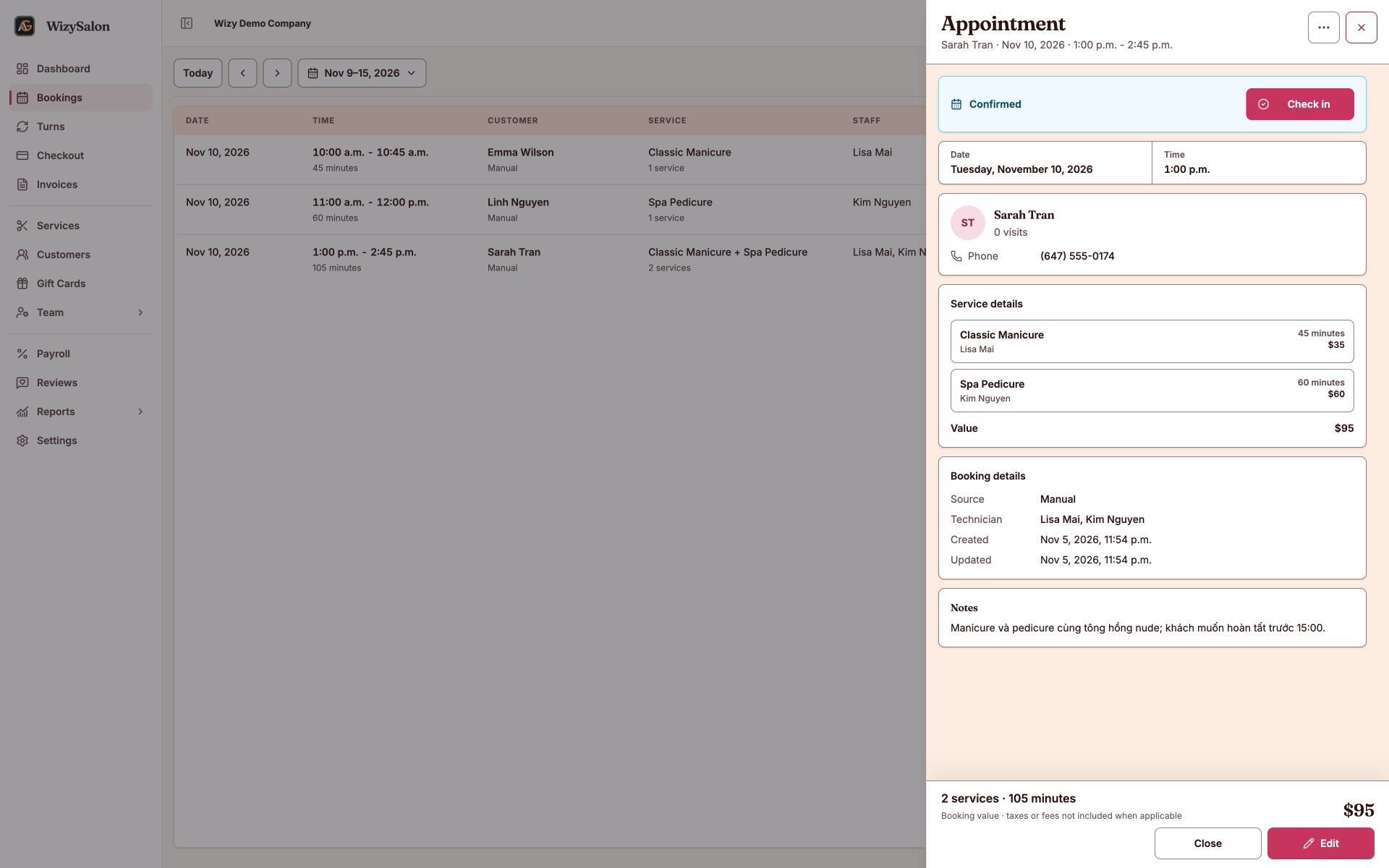
Figure 1. The Check in button in a confirmed appointment's details.
Follow service progress
In Turns, check that technicians have started their shifts, are qualified, and can accept the services. Start and complete each service as it is performed. For appointments with multiple technicians, review every service before checkout.
Completing service does not confirm payment. Open Checkout and check the remaining balance.
Related: Cancel appointments and record no-shows.